
frp+服务器:实现内网穿透
什么是frp
frp 采用 C/S 模式,将
服务端部署在具有公网 IP 的机器上,
客户端部署在内网或防火墙内的机器上,通过访问暴露在服务器上的端口,反向代理到处于内网的服务。
在此基础上,frp 支持 TCP, UDP, HTTP, HTTPS 等多种协议,提供了加密、压缩,身份认证,代理限速,负载均衡等众多能力。此外,还可以通过 xtcp 实现 P2P 通信。
工具准备:
- 一台公网服务器,部署服务端
- 一台内网机器,部署客户端
- frp软件:frps服务端+ frpc客户端
安装
下载frp分别上传到服务器和内网机器,根据服务器和内网机器分别下载对应架构的frp版本
- amd相当于x86,是64位指令的操作系统架构
- arm64是64位精简指令的操作系统架构,特点低能耗,被广泛应用小设备和移动设备
服务端
服务器解压frp
1 | tar -zxvf frp_0.63.0_linux_amd64.tar.gz |
配置文件
- 设置配置文件
1 | mkdir /etc/frp |
- 配置frps.toml文件
1 | vim /etc/frp/frps.toml |
1 | # 监听端口,记得服务器防火墙要打开 |
利用systemd启动后台进程挂载
创建service文件
1
vim /etc/systemd/system/frps.service
frps.service内容:
1
2
3
4
5
6
7
8
9
10
11
12
13
14
15[Unit]
Description = frp server
After = network.target syslog.target
Wants = network.target
[Service]
Type=simple
ExecStart = /usr/local/frp/frps -c /etc/frp/frps.toml
ExecStop=/bin/kill $MAINPID
Restart=always
RestartSec=5
[Install]
WantedBy = multi-user.target
服务端启动
1 | #重载配置 |
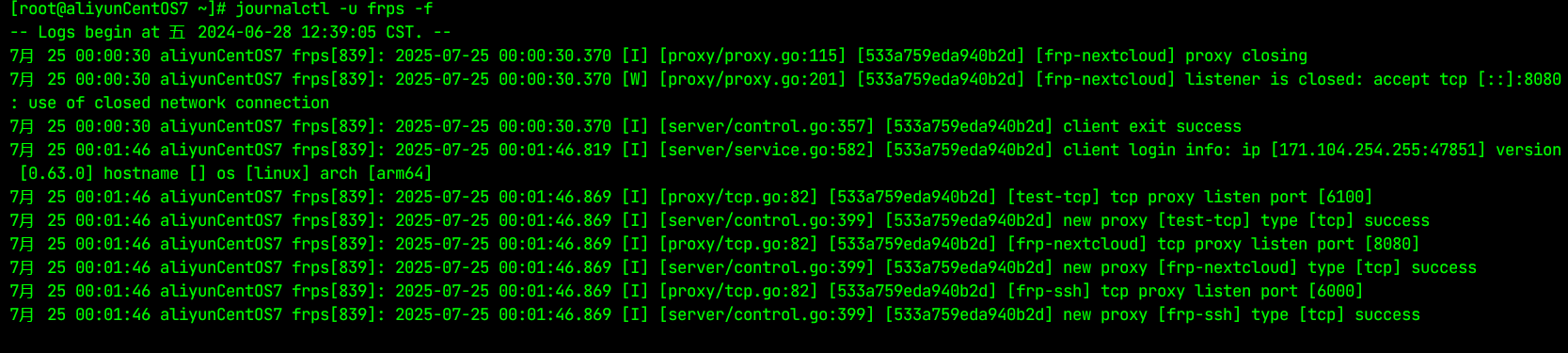
查看日志
1 | # 查看 frps 服务的最新日志 |
设置开机自启
1 | sudo systemctl enable frps |
验证开机自启是否生效
1 | systemctl status frps |
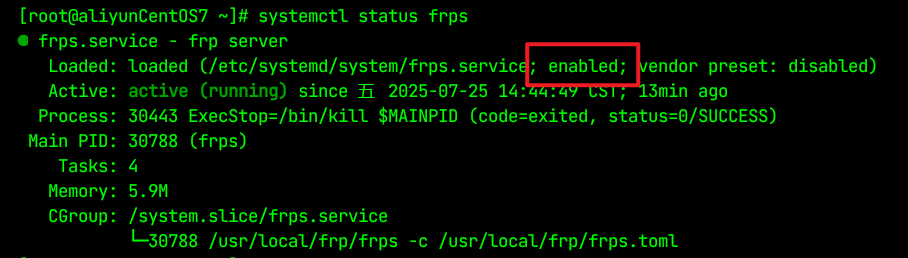
1 | sudo systemctl is-enabled frps # 输出 enabled 则表示成功 |
客户端
内网机器解压
1 | tar -zxvf frp_0.63.0_linux_arm64.tar.gz |
配置文件
- 设置配置文件
1 | mkdir /etc/frp |
- 配置frpc.toml文件
1 | vim /etc/frp/frpc.toml |
1 | # /ect/frp/frpc.tpml |
remotePort端口记得服务器防火墙打开
利用systemd启动后台进程挂载
创建service文件1
vim /etc/systemd/system/frpc.service
frps.service内容:
1
2
3
4
5
6
7
8
9
10
11
12
13
14[Unit]
Description=FRP Client Service
After=network.target
[Service]
Type=simple
User=frp
Group=frp
ExecStart=/usr/local/frp/frpc -c /etc/frp/frpc.toml
Restart=always
RestartSec=10
[Install]
WantedBy=multi-user.target可能发生的错误
- 用户 / 组是否存在
配置中指定了User=frp和Group=frp,需确认系统中是否真的存在frp用户和同名组。如果不存在,服务会因无法切换到该用户而启动失败。
检查命令:id frp(若返回无此用户,则需创建:sudo useradd -r -s /sbin/nologin frp)。 - 文件权限是否匹配
frp用户需要对以下文件有对应权限:/usr/local/frp/frpc:需有可执行权限(chmod +x)。/etc/frp/frpc.toml:需有读取权限(可设置为chmod 644并确保所有者或组包含frp)。
- 路径是否正确
确认ExecStart中frpc程序路径(/usr/local/frp/frpc)和配置文件路径(/etc/frp/frpc.toml)是否与实际存放位置一致,路径错误会导致启动失败。
客户端启动
1
2
3
4
5
6
7
8
9
10
11#重载配置
sudo systemctl daemon-reload
# 启动服务
systemctl start frpc.service
# 查看服务状态
systemctl status frpc.service
# 停止服务
systemctl stop frpc.service查看日志
1
2
3
4
5
6
7
8
# 查看 frps 服务的最新日志
journalctl -u frpc
# 实时跟踪日志(类似 tail -f)
journalctl -u frpc -f
# 查看最近 N 行日志
journalctl -u frpc -n 100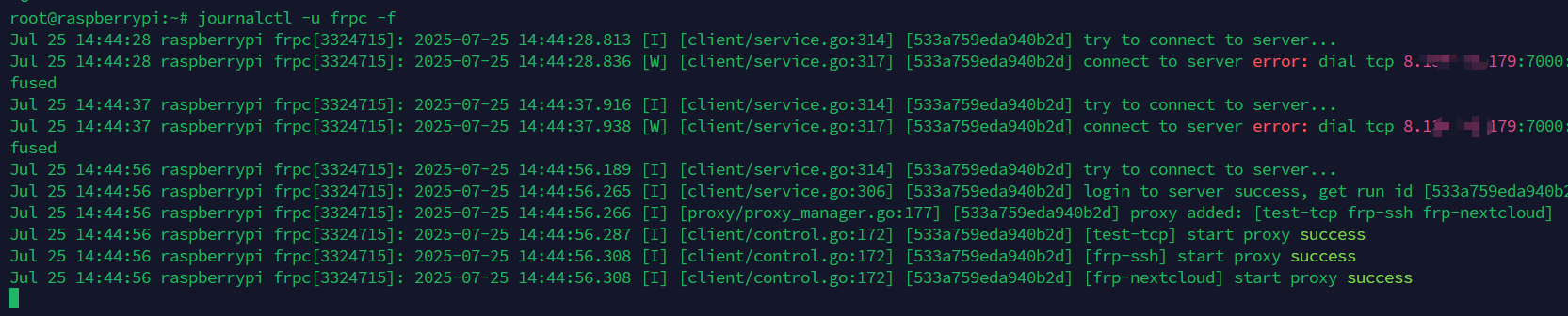
设置开机自启
1
sudo systemctl enable frpc
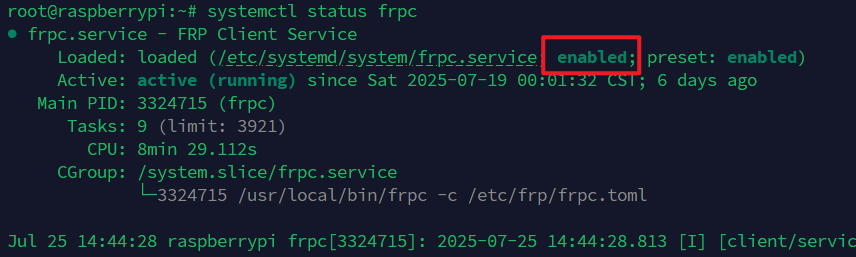
验证开机自启是否生效
1
systemctl status frpc
1
sudo systemctl is-enabled frps # 输出 enabled 则表示成功
- 用户 / 组是否存在
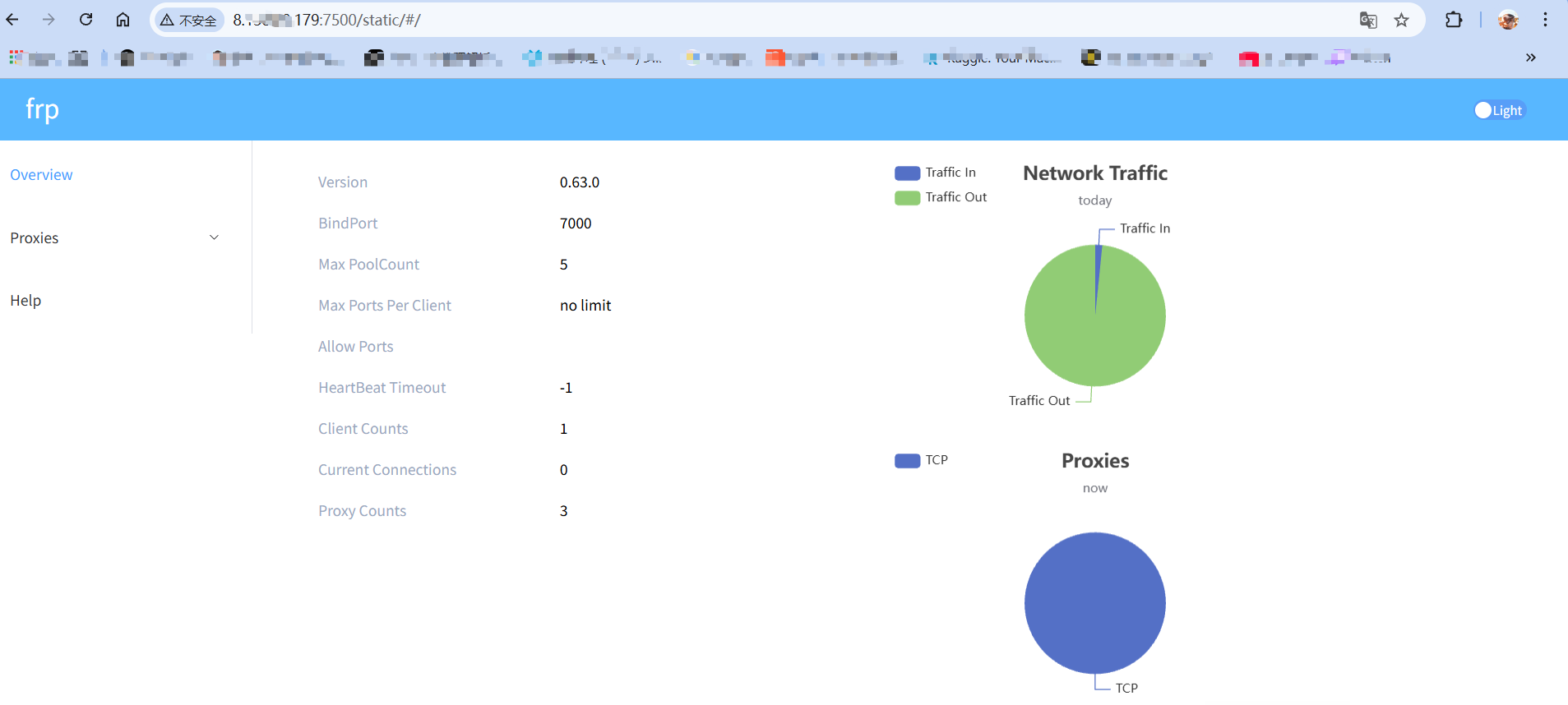
网页仪表盘
本博客所有文章除特别声明外,均采用 CC BY-NC-SA 4.0 许可协议。转载请注明来源 Yinjin Yao的博客!